FIRST LEGO League With 8 Kids: A Parent's Guide to Getting Started
Joining a FIRST LEGO League team with 8 kids? Here's how the team structure works, what roles the kids take, what a typical session looks like, and what you'll need to bring — from a homeschool mom getting ready for her first season.
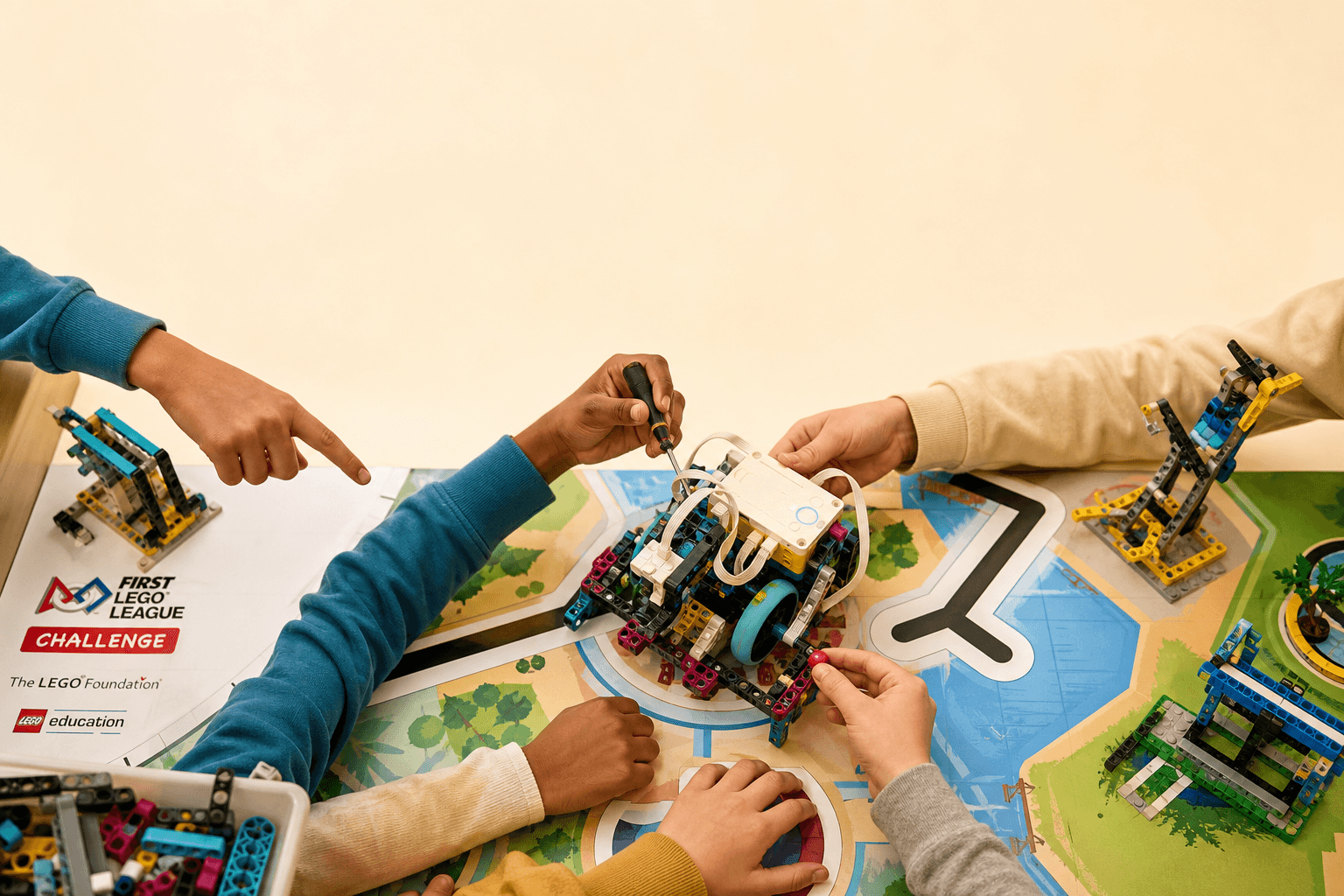
Eight kids. One robot. Two hours. If that math makes you nervous, you're not alone. My family is about to join our first FIRST LEGO League team and let me tell you — I had questions. How do you keep eight kids engaged around one robot? What actually happens at practice? What do we even need to bring?
So I've been doing my homework: reading what coaches and parents say, watching tournament videos, and sketching out what to expect. Here's what I'm learning as we prepare for our first season. If you're in the same boat — a parent getting ready for FLL with your kids — this is for you.
Psst — need a practice table for home? I wrote a whole separate guide on building a portable FLL table that folds up and rolls away: DIY Portable LEGO Robotics Table
How Teams of 8 Are Usually Structured
The thing that comes up in every forum: you can't just put 8 kids around one robot and hope for the best. That's eight kids jostling for position while two actually do something.
The fix most coaches use: split the team.
Four Robot Builders, Four Project Researchers — and Rotate
Group A (Robot Squad): 4 kids focused on the robot — building, coding, testing missions Group B (Innovation Squad): 4 kids focused on the Innovation Project — research, solution design, presentation
Every 2–3 sessions, the groups swap. Everyone gets hands-on time with the robot, and everyone contributes to the project. This rotation also means nobody gets burned out on one thing, and quieter kids often shine in the research role.
Within the Robot Squad: Three Roles
Even with 4 kids, there are usually defined roles:
-
Builder (1–2 kids): In charge of the physical robot — attachments, gearing, structural changes. These are the ones with their hands on the LEGO most.
-
Programmer (1 kid): At the laptop, coding the mission runs. They work closely with the builder to test and iterate. The Spike app's drag-and-drop interface means even kids with zero coding experience can contribute here.
-
Tester / Documenter (1 kid): Runs the robot on the table, times each mission attempt, notes what went wrong, and keeps the engineering notebook updated. This role sounds boring to kids at first, but once they realize they're the ones analyzing what needs to change, they get into it.
Rotate roles every session. Monday's builder becomes Wednesday's programmer becomes next Monday's tester. Every kid learns every skill, and nobody gets territorial about "their" robot design.
Within the Innovation Squad: Three Roles
Same concept, different focus:
-
Researcher (1–2 kids): Digging into the season theme, finding real-world examples, understanding the problem. For the 2025–2026 UNEARTHED season (energy), they might research how their community gets power, interview a local solar installer, or look up energy storage solutions.
-
Solution Designer (1 kid): Turning research into a concrete idea. What's the team's innovation? How would it work? They sketch, model, prototype. This is often the kid who loves drawing or building in Minecraft — the creative thinker.
-
Presenter (1 kid): Writing the script, practicing the 5-minute presentation, making sure everyone knows their part. At competition, every team member has to speak during the Innovation Project presentation — not just the designated presenter. This person keeps the presentation organized.
What a 90-Minute Session Looks Like
Here's the practice schedule most experienced teams follow:
Minutes 0–5: Huddle up. Everyone together. Quick check-in: what's the goal today? One specific thing. Not "work on the robot" — it should be "get the robot to push the energy unit into the green zone consistently." Specific goals keep everyone focused.
Minutes 5–15: Team split + brief. Robot squad goes to the table, Innovation squad goes to their workspace (a different table or corner of the room). Each group recaps where things stand.
Minutes 15–60: Deep work. This is when things happen. Robot squad runs mission attempts, tweaks code, adjusts attachments. Innovation squad researches, builds slides, practices presentation sections. No cross-talk between groups — this is focused time.
Minutes 60–70: Group reconvene. Everyone back together. Robot squad gives a quick demo of what they accomplished. Innovation squad shares one new finding or slide. This keeps both groups invested in each other's progress and gives kids practice explaining their work — a skill judges will test.
Minutes 70–85: Cross-training. Mix the groups for one quick exercise:
- Have one of the robot programmers teach an Innovation kid how to code a simple move-forward-and-turn sequence
- Have one of the researchers explain the season theme to a robot builder who hasn't been in that group yet
This builds depth across the team and prevents the "I only do coding, I don't know anything about the project" problem at judging.
Minutes 85–90: Wrap-up. Quick round of "one thing I learned today" and set the goal for next session. End on time.
The Rules: What Every Parent Should Know
Robot Game Rules (The Short Version)
The robot has 2 minutes and 30 seconds to complete as many missions as possible on the field. It runs autonomously — once they press start, no touching. If the robot gets stuck, they can retrieve it to the launch area but lose a precision token (worth points). There are 6 precision tokens total for the match.
Key rules the kids need to internalize:
- Everything starts in the launch area. The robot and any attachments must fit completely inside the launch/home area at the start of each run
- No hand of god. Once the robot leaves the launch area, they can't touch it. It runs on its own until it returns or they interrupt it
- Equipment inspection. All attachments and the robot must be made entirely of LEGO elements — no tape, glue, or non-LEGO parts
- The ref's call is final. Good sportsmanship is a core value. At tournament, the referee's ruling stands — arguing costs the team grace points
Read the full rulebook together in session 1 or 2. Experienced coaches all say the same thing: if you wait, kids build things that aren't legal and have to redo work.
Core Values (These Actually Matter for Scoring)
FIRST judges evaluate teams on Core Values just as much as robot performance:
- Discovery: We explore new skills and ideas
- Innovation: We use creativity and persistence to solve problems
- Impact: We apply what we learn to improve our world
- Inclusion: We respect each other and embrace our differences
- Teamwork: We are stronger when we work together
- Fun: We enjoy and celebrate what we do
At judging, teams get asked questions like "Tell us about a time your team disagreed and how you worked through it." The advice from veteran teams: let the kids actually disagree and resolve it. That's better material than a fake-perfect season.
Competition Day: What Actually Happens
Tournaments run about 6–8 hours. Your team will do:
- 3 robot game matches — 2.5 minutes each, spread across the day
- Robot Design judging — 10 minutes, kids explain their robot and code to judges
- Innovation Project judging — 10 minutes, presentation + Q&A
- Core Values judging — usually a teamwork activity observed by judges
Between rounds, there's a lot of waiting. Pack snacks. Pack more snacks than you think. And tell the kids to watch other teams' robot matches — they'll learn as much from watching as from competing.
What You Need: The Supply List
Here's everything to pull together before the first session. I put links where I could — these are the actual products, not sponsored.
Hardware
- LEGO Education SPIKE Prime Set ($399.95) — The robot brain, motors, sensors, and 528 building elements. One set covers a team of 8 if you split into squads. Buy on LEGO Education
- FLL Challenge Season Kit — Includes the official field mat and mission models for the current season. Comes with team registration. Register at FIRST Inspires
- Extra rechargeable battery (optional but helpful) — Spare battery for the SPIKE hub so you aren't waiting on a charge mid-session. LEGO Education SPIKE Prime Rechargeable Battery
Tech
- One laptop for coding — Any Windows/Mac/Chromebook that runs the SPIKE App. This is where the robot squad programs missions.
- Second laptop or tablet — For the Innovation Squad. Google Slides, research, and presentation building. An iPad works great here — bigger screen than a phone for research but more portable than a second full laptop.
- Tablet or iPad — Useful as a third screen for looking up build instructions, watching tutorial videos, or running the SPIKE app in a pinch. Not required, but nice to have.
Paper & Organization
- Engineering notebook — One per kid. A simple composition book works fine. This is where they sketch designs, note what works and doesn't, and document the journey. Judges look at these.
- Sticky notes + markers — For brainstorming, mission strategy planning, and laying out the field mat.
- Timer — A visible countdown clock so every role rotation is clear. Phone timer works, but a physical one is less distracting.
- Storage bin or rolling cart — Something to corral all the LEGO pieces, attachments, cables, and spare parts between sessions. A simple plastic tote with dividers is plenty.
Competition Table
You need a 4'x8' table with border walls for practice at home. I wrote a full guide on building one that folds up for storage: DIY Portable LEGO Robotics Table
Snacks
This one's not optional. Pack more than you think. Hungry kids don't code well.
Common Challenges (And What Experienced Coaches Recommend)
One kid will naturally dominate the robot while others fade. Fix: time-box hands-on turns. The builder gets 15 minutes, then tags in the next person. Use a visible timer.
Two kids will clash by session 5. Fix: separate them into different squads for a few weeks. Time apart during practice heals most friction.
The robot will work perfectly at home and fail completely at competition. Fix: practice on different tables at different times of day. Light conditions, table surface texture, even the angle of the floor — all affect sensor readings.
Parents need boundaries. Fix: many teams have a team agreement signed at the start of the season. "The robot is designed, built, and programmed entirely by the kids." It protects the kids' experience and keeps the learning where it belongs.
Why We're Doing This
I'll be honest: joining an FLL team is a time commitment. Two sessions a week, tournament registration, the logistics of getting everyone there with the right stuff.
But here's what I keep hearing from families who've done it: watching a kid who couldn't write a line of code a few weeks ago program a robot that drives itself across a table, picks something up, and sets it in exactly the right spot — that moment is incredible. Eight kids building, coding, collaborating, and showing up for each other at a tournament.
That's the stuff they remember. Way after they forget the season theme or what year they competed, they'll remember that they built something together.
Here we go. 🤖